Show timing for AJAX callbacks
Description
Should timing information be shown for all Ajax callbacks? If enabled, the timing information is shown in the browser console.
Discussion
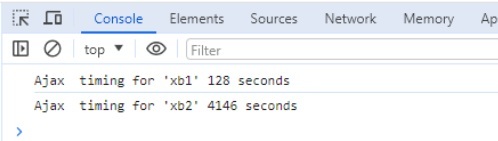
You can easily capture timing information for Ajax callbacks. The information is shown in the browser console window. The name of the Xbasic function that was executed and the time it took are shown (see image below).
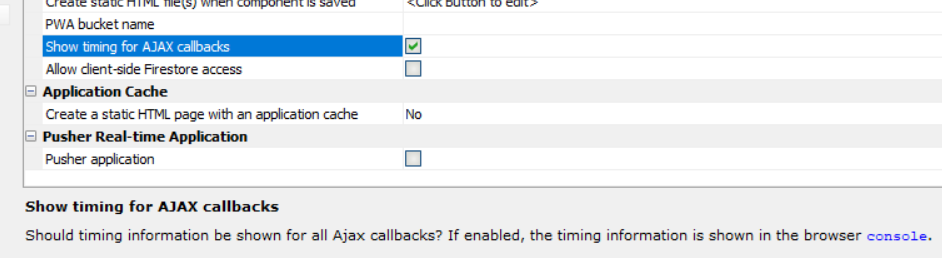
To turn the timing feature on, check the Show timing for AJAX callbacks property in the Advanced section of the Properties pane in the UX Builder.
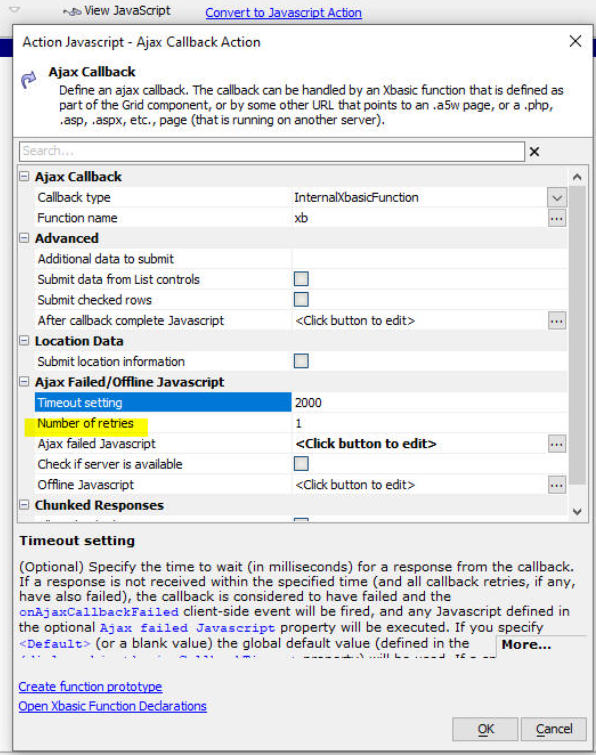
Retries: By default, if you have specified a timeout that is greater than 0 (which indicates an infinite timeout), Alpha Anywhere will automatically retry the Ajax callback up to 3 times before it fails. You can now specify the number of retries. This property is only exposed if the Timeout setting is not <Default> or blank. For example, if you set the Timeout setting to 2000 (i.e. 2 seconds) and the Number of retries to 0 then if an Ajax callback take longer than 2 seconds, it will be considered to have failed and the Ajax failed Javascript will be executed.
See Also